Tips for Creating a Cozy and Productive Home Office Space
Creating a home office that is both cozy and productive can significantly improve your work-from-home experience. A well-designed workspace helps you focus, reduces stress, and makes long work hours more enjoyable. Whether you have a dedicated room or just a corner in your living space, these tips will guide you in setting up an ideal home office.
Choose the Right Location
Finding the right spot for your home office is the first crucial step. Ideally, pick a quiet area that receives good natural light and has minimal distractions.
– Natural Light: Sit near a window if possible. Natural daylight helps reduce eye strain and improves mood.
– Quiet Zone: Select a part of your home away from noisy areas like the kitchen or TV room.
– Space: Ensure there is enough room for your desk, chair, and any equipment or storage you might need.
Invest in Comfortable Furniture
Comfort is key to maintaining productivity throughout the day. Choosing ergonomic furniture supports good posture and prevents discomfort.
– Ergonomic Chair: Look for adjustable height, lumbar support, and comfortable cushioning.
– Desk: Pick a desk that fits your workspace and allows for proper screen height.
– Standing Options: Consider a sit-stand desk or a desk converter to alternate between sitting and standing.
Organize Your Workspace Efficiently
A clutter-free and well-organized desk promotes better focus and efficiency.
– Declutter Regularly: Keep only essential items on your desk.
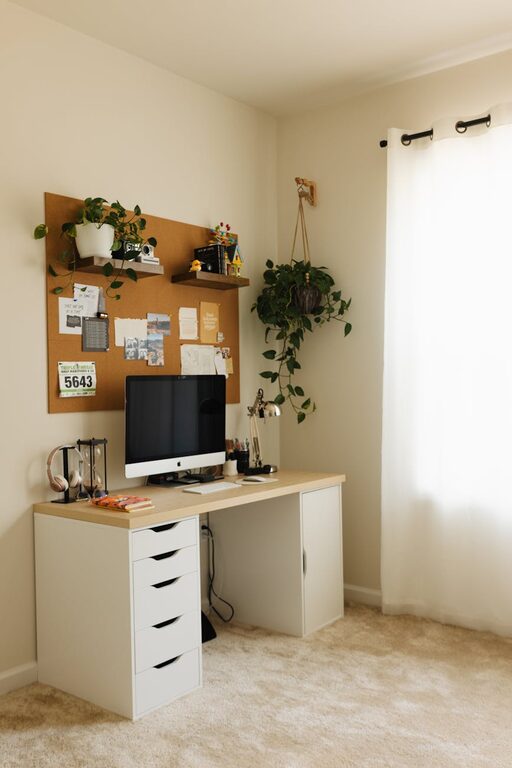
– Storage Solutions: Use shelving, drawers, or desk organizers to store stationery, documents, and devices.
– Cable Management: Use cable organizers or clips to keep wires tidy and prevent tangles.
Personalize Your Space
Adding personal touches makes your office feel inviting and can boost creativity.
– Decor: Hang art or photos that inspire you.
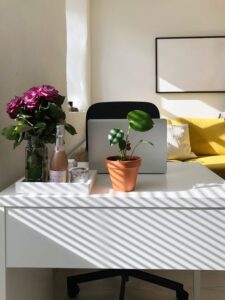
– Plants: Indoor plants add a touch of nature and improve air quality.
– Colors: Use calming or motivating colors for walls or accessories, such as soft blues or warm yellows.
Optimize Lighting
Proper lighting reduces eye fatigue and enhances focus.
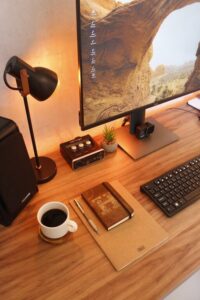
– Task Lighting: Use an adjustable desk lamp for focused work.
– Ambient Lighting: Ensure the room has sufficient overall light, avoiding harsh shadows.
– Screen Brightness: Adjust your computer screen settings to match the light in the room.
Set Boundaries for Work and Relaxation
Separating work time from personal time helps maintain a healthy routine.
– Defined Work Hours: Stick to a schedule to prevent burnout.
– Break Area: If possible, create a space separate from your desk to relax during breaks.
– Minimize Distractions: Use noise-canceling headphones or white noise machines if needed.
Use Technology to Enhance Productivity
Technology can streamline your work and keep you organized.
– Reliable Equipment: Invest in a good computer, monitor, and internet connection.
– Apps and Tools: Use productivity apps, calendar reminders, and task lists.
– Backup Solutions: Regularly back up your files to avoid data loss.
Keep Your Office Clean and Fresh
A tidy, fresh environment boosts comfort and concentration.
– Regular Cleaning: Dust your workspace and vacuum floors weekly.
– Air Quality: Ventilate the room regularly or consider an air purifier.
– Scent: Light scented candles or use essential oil diffusers to create a pleasant atmosphere (if safe and allowed).
Final Thoughts
Creating a cozy and productive home office is about balancing comfort, organization, and personalization. Start by choosing the right location and investing in ergonomic furniture, then add personal touches and technology that support your workflow. Remember to set boundaries and take care of your environment, so your home office becomes a place you enjoy working in every day. With these tips, you can boost your productivity while feeling relaxed and comfortable.